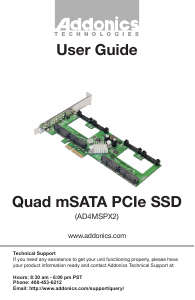
Manual Addonics AD4MSPX2 SSD

Need a manual for your Addonics AD4MSPX2 SSD? Below you can view and download the PDF manual for free in English. This product currently has 2 frequently asked questions, 0 comments and has 0 votes. If this is not the manual you want, please contact us.

Is your product defective and the manual offers no solution? Go to a Repair Café for free repair services.

Manual

Loading…

www.addonics.com Technical Support (M-F 8:30am - 6:00pm PST) Phone: 408-453-6212 Email: www.addonics.com/support/query/
Hardware Installation
NOTE: This controller is not compatible with SAS targets
1. Insert up to four mSATA devices into the card, taking care to match the
notch on the devices and the board's connectors. Insert at a 45 degree angle
and press gently until the plastic retainers secure the device in place.
2. Power off the computer and install the card in a PCI Express slot that can
accept a 2X or larger card.
3. Turn on the computer. At this point an AHCI-aware Operating system
such as Linux, MacOS X or Windows Vista, 7, or 8 will immediately
recognize the card as a generic AHCI controller and begin using it. NOTE: To
remove an mSATA device from the card, gently squeeze the two plastic
retainers toward each other while lifting the edge of the card away from them.
Windows XP Driver Installation (Windows XP 32-bit)
1. After following the Hardware Installation steps, Windows XP will start with
the “Found New Hardware Wizard.” Before proceeding, insert the Host
Adapter Driver Disc.
2. Respond to the first question: “Can Windows connect to Windows Update
to search for software?” by choosing “No, not this time.” Then click Next.
3. Respond to the question: “What do you want the wizard to do?” by keeping
the default setting “Install the software automatically [Recommended].”
4. Respond to the next step “Please select the best match for your hardware
from the list below” by choosing the line that ends with
“\miniport\i386\mv91xx.inf.”
5. Another wizard will appear next. Also choost “No, not this time” and “Install
the software automatically” to the next prompts, and during selection,
choose the line ending with “\miniport\i386\mv91cons.inf.”
Software Installation (Windows Only)
1. Insert the Host Adapter Driver Disc if not already done.
2. Launch the application MSUSetup.exe.
3. Read and accept the License Agreement.
4. Respond to all remaining prompts by clicking Next.
5. During this process, a “Windows Security Alert” dialog should appear,
asking about firewall blocking for a program called “Apache HTTP
Server.” Click “Unblock” to enable the software to connect to the hard
ware properly, then click Finish on the Installation Wizard.
Download manual in English (PDF, 0.42 MB)
(Consider the environment and only print this manual if it is really necessary)

Loading…

Rating

Let us know what you think about the Addonics AD4MSPX2 SSD by leaving a product rating. Want to share your experiences with this product or ask a question? Please leave a comment at the bottom of the page.
Are you satisfied with the Addonics AD4MSPX2 SSD?
Yes No
Be the first to rate this product
0 votes

Join the conversation about this product

Here you can share what you think about the Addonics AD4MSPX2 SSD. If you have a question, first carefully read the manual. Requesting a manual can be done by using our contact form.

More about this manual

We understand that it’s nice to have a paper manual for your Addonics AD4MSPX2 SSD. You can always download the manual from our website and print it yourself. If you would like to have an original manual, we recommend you contact Addonics. They might be able to provide an original manual. Are you looking for the manual of your Addonics AD4MSPX2 SSD in a different language? Choose your preferred language on our homepage and search for the model number to see if we have it available.

Specifications

Brand Addonics
Model AD4MSPX2
Category SSD
File type PDF
File size 0.42 MB

All manuals for Addonics SSD
More manuals of SSD

Frequently Asked Questions about Addonics AD4MSPX2 SSD

Our support team searches for useful product information and answers to frequently asked questions. If you find an inaccuracy in our frequently asked questions, please let us know by using our contact form.

What is the difference between a hard disk drive and an SSD? Verified

A hard disk drive has multiple disks that move. It allows for large amounts of data to be stored, but uses a lot of power and is vulnerable. An SSD has no moving parts, but uses chips like a USB stick. It has the advantage of being fast and light, but allows for less data storage.

This was helpful (1) Read more
What does SSD stand for? Verified

SSD stands for Solid State Drive.

This was helpful (1) Read more
Manual Addonics AD4MSPX2 SSD

Related products

Related categories

×
Download