
Manual Acer Veriton ES2735G Desktop Computer
Need a manual for your Acer Veriton ES2735G Desktop Computer? Below you can view and download the PDF manual for free in English. This product currently has 1 frequently asked question, 0 comments and has 0 votes. If this is not the manual you want, please contact us.
Is your product defective and the manual offers no solution? Go to a Repair Café for free repair services.
Manual
Loading…

Loading…
Rating
Let us know what you think about the Acer Veriton ES2735G Desktop Computer by leaving a product rating. Want to share your experiences with this product or ask a question? Please leave a comment at the bottom of the page.More about this manual
We understand that it’s nice to have a paper manual for your Acer Veriton ES2735G Desktop Computer. You can always download the manual from our website and print it yourself. If you would like to have an original manual, we recommend you contact Acer. They might be able to provide an original manual. Are you looking for the manual of your Acer Veriton ES2735G Desktop Computer in a different language? Choose your preferred language on our homepage and search for the model number to see if we have it available.
Specifications
| Brand | Acer |
| Model | Veriton ES2735G |
| Category | Desktop Computers |
| File type | |
| File size | 2.64 MB |
All manuals for Acer Desktop Computers
More manuals of Desktop Computers
Frequently Asked Questions about Acer Veriton ES2735G Desktop Computer
Our support team searches for useful product information and answers to frequently asked questions. If you find an inaccuracy in our frequently asked questions, please let us know by using our contact form.
How much are kilobyte, megabyte, gigabyte and terabyte? Verified
One kilobyte consists of 1000 bytes. 1 megabyte = 1000 kilobyte. 1 gigabyte = 1000 megabyte. 1 terabyte = 1000 gigabyte.
This was helpful (31) Read more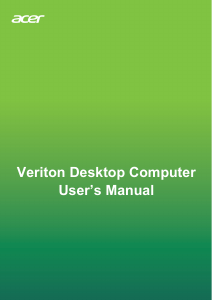


Join the conversation about this product
Here you can share what you think about the Acer Veriton ES2735G Desktop Computer. If you have a question, first carefully read the manual. Requesting a manual can be done by using our contact form.